The whole of Pywel on one fast, free map
This Crimson Desert interactive map shows where things are across the continent of Pywel: towns and camps, bosses, treasure chests, ore veins, shops, crafting stations, Abyss sites and quest givers. Turn categories on and off, search any marker by name and open a pin to see its region and notes.
Everything runs in your browser. There is no account to make, progress is saved on your device, and every pin has its own link you can paste into chat.
Open on map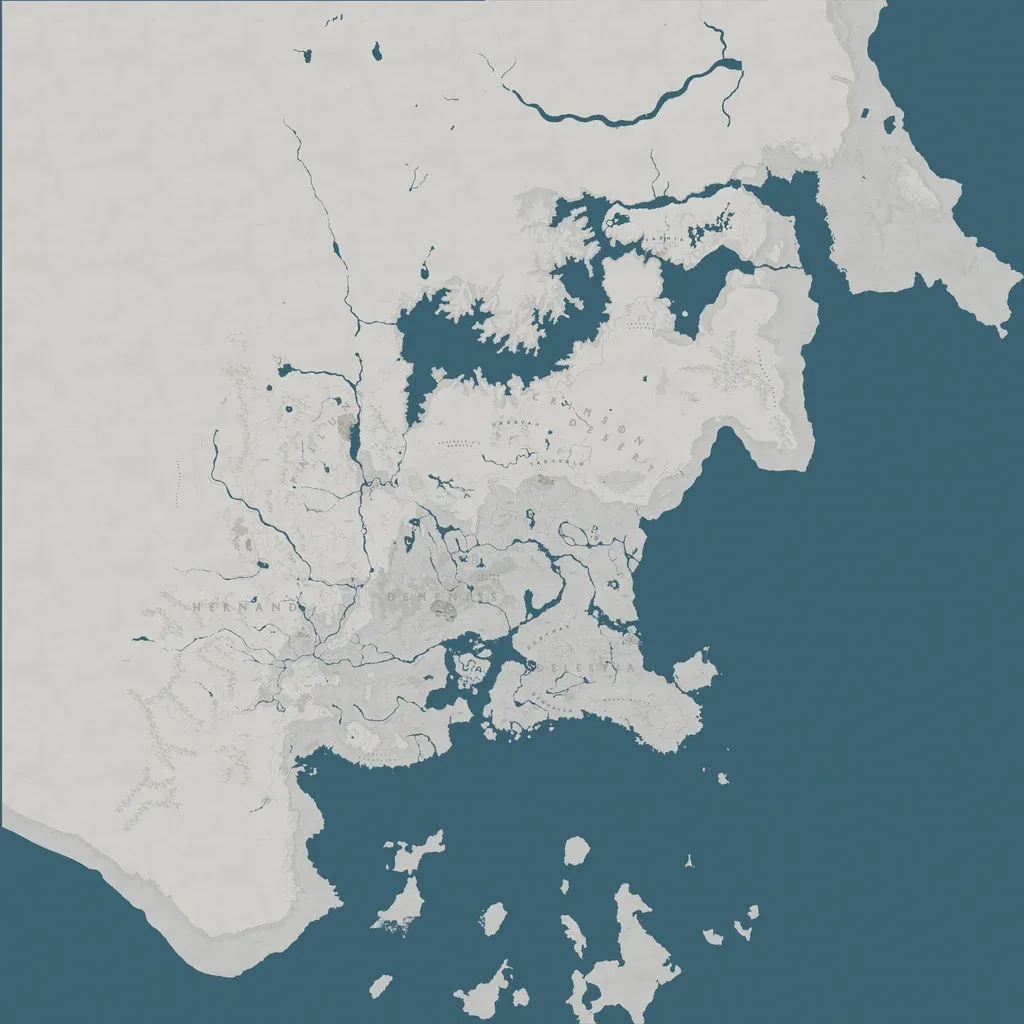
Crimson Desert interactive map: every location in Pywel and the Abyss
This Crimson Desert interactive map is a free, browser-based map of the whole continent of Pywel, the open world of Pearl Abyss' action adventure, with a second layer for the Abyss. It marks more than 6,000 points: towns and villages, caves and ruins, forts and camps, shops, inns and crafting stations, treasure chests, memory fragments, Abyss nexuses and gates, main and side quests, bosses, weapons and armor, ore veins and plants. Every pin opens with its region, coordinates and notes, and every pin has its own link.
The map is built for playing alongside the game. Open it on a second monitor, a tablet or a phone, switch on only the categories you are hunting for, search a name, and tick things off as you find them. Nothing requires an account: your filters, found markers and private pins are stored on your own device.
What makes this the best Crimson Desert interactive map to keep open while you play
- Speed. The site is static, loads in well under a second on a normal connection, and draws thousands of pins without stutter, including on phones.
- Filters that remember themselves. Show only Bloodstone and Iron Ore for a farming run, only treasure chests for a completion sweep, or only quests for a story session. Your selection is kept for next time.
- Progress tracking. Mark a chest, fragment or artifact as found and the map dims it or hides it entirely, so you only see what is left. The counter in the panel shows how far along each category is.
- Share links. Every marker has a link that opens the map already zoomed to that pin, in the language of whoever opens it.
- Private pins. Right-click or long-press anywhere to save your own note, such as a horse spawn, a fishing spot that pays well or a puzzle you want to come back to.
- Eight languages. English, Spanish, Japanese, French, German, Portuguese, Korean and Italian, with every category page translated as well.
Hernand, Pailune, Demeniss, Delesyia and the Crimson Desert
Pywel is split into five regions and the map covers all of them. Hernand in the south-west is where most players spend their first hours: Hernand Castle, the Scholastone Institute, Fort Warspike, Fort Hellwood and the farmland around Bloomwood Ranch are all pinned, along with the memory fragments, chests and side quests scattered between them. Pailune to the north is colder and higher, with its castle town, mountain forts and the mines around it. Demeniss sits at the centre of the continent with the capital, its zoo, orphanage, police and army base, and some of the densest clusters of shops and crafting stations on the map. Delesyia in the south-east is the trading coast, with Port Delesyia, the dyehouses and the shipwrecks along its shore. The Crimson Desert itself stretches across the north-east around Tashkalp and Urdavah, where the oases, helmholes, totems and altars are, as well as the Kilnden Kuku Workshop and the desert bosses.
Each category page sorts its pins by region, so if you only care about one area you can read the list for that region alone and jump to any pin on the map from there.
Weapons, armor, Bloodstone and other things people search for
The Items group lists every weapon, shield, piece of armor, accessory and consumable that has a fixed location, from treasure-chest weapons such as the Crimson Warden's Bow to the armor sets of the Fallen Kingdom. The notes on each pin say whether it sits in a chest or lies in the open.
Resources are the largest group. Iron Ore, Copper Ore, Bismuth, Scolecite, Azurite, Garnet, Epidote, Diamond, Gold and Silver veins are each their own category with their own colour, so a glance at the map tells you where the Bloodstone fields are compared with the Azurite ones. Plants such as Prickly Pear, Amaranth, Chaya, Taro, Enset and the seaweeds along the coast are mapped the same way.
Bosses have their own categories for story bosses and optional bosses, with the quest or chapter each one belongs to in the notes. Stone lanterns, anamorphic puzzles, bells, gimmicks and Hexe tower totems have categories too, which makes the map useful for the collectathon side of the game, not just for combat.
Fast travel, the Abyss and getting around
Getting around Pywel quickly means knowing where the Abyss nexuses, gates and beacons are, and they are all on the map: 266 nexuses, 38 gates and the beacons on the hills between them. Switch on those categories together with towns and you have a fast-travel overview of the whole continent.
The Abyss has its own layer, selected with the Pywel / Abyss switch in the panel. It holds the Abyss treasure chests, the Abyss gear found in them and the named sky places such as the Spire of the Stars and the Skyloop Bridge. Links to Abyss pins open the map on the right layer automatically.
App, download, mods and the wiki
There is no app to install and nothing to download: the map is a website that works in any modern browser and can be added to a phone's home screen like an app. It does not modify the game in any way and is not a mod, so it is safe to use alongside any version of Crimson Desert. If you want a copy of your own data, the Export progress option in Settings saves your found markers and private pins to a small file that you can import on another device.
The map is a complement to a wiki rather than a replacement for one. A wiki tells you what a boss does or what an item is for; the map tells you exactly where it is. Marker names match the in-game names, so searching the map for something you read about elsewhere will find it.
Kept up to date through 2026
Crimson Desert is a live game and its world changes with patches. The marker set behind this map is rebuilt as a whole whenever it is updated, which means corrections and additions appear everywhere at once, from the map to the category pages in all eight languages. If you find a pin that is wrong, missing or misnamed, open it, copy its link and send it to us from the Contact page; reports are checked and folded into the next update.
Whether you are starting your first playthrough in Hernand or cleaning up the last chests in the Abyss, keep this Crimson Desert interactive map open and let it do the remembering for you.
What you can do with the map
Filter by exactly what you need
Show only Iron Ore, only world bosses, or any mix of categories. Your filter choice is remembered next time.
Track what you have found
Mark chests, fragments and artifacts as found and hide them, so the map only shows what is left.
Share an exact spot
Copy a link to any marker. Your friend opens the map already zoomed to that pin.
Drop your own pins
Right-click or long-press anywhere to save a private note, such as a farming route or a puzzle you skipped.
Eight languages
The map and every category page are available in English, Spanish, Japanese, French, German, Portuguese, Korean and Italian.
Built to load fast
No sign-up walls and no heavy ad scripts. The map works on phones, tablets and a second monitor while you play.
Browse map categories
Every category has its own page with a full list of pins sorted by region.
Locations
- Town4
- Village30
- Camp116
- Castle0
- Fort35
- Stronghold0
- Cave133
- Ruins87
- Shrine13
- Sanctum14
- Abyss Nexus266
- Abyss Gate38
- Abyss Cresset0
- Point of Interest0
- Hidden Space0
- Mine0
- Port0
- Outpost0
- Notice Board0
- Workshop0
- Witch's Hideout0
- Beacon10
- Cabin43
- Farm32
- Gate38
- Landmark293
- Settlement23
- Shipwreck26
- Tower35
- Player Housing2
- A.T.A.G. Repair Shop19
- Bell8
- Gimmick6
- Hexe Tower Totem4
- Marni's Transporter6
Shops & services
- Inn10
- Stable0
- Smithy20
- Equipment Shop0
- Grocer's Shop14
- Provisioner's Shop0
- Tailor's Shop0
- Bank6
- Trading Post17
- Black Market11
- Fishing Shop17
- Street Vendor0
- Dyehouse12
- Art Dealer1
- Barber2
- Butchery7
- Cannon Shop3
- Church9
- Contribution Shop9
- Cook2
- Furniture Shop7
- General Store26
- Guild Trade10
- Jeweler2
- Leatherworker6
- Mineral Shop1
- Pet Shop2
- Rancher4
- Research Institute6
- Royal Supply4
- Saddlery89
- Smuggler14
- Stone Shop6
- Supplies2
- Timber Shop1
- Tombstone Workshop1
- Warehouse3
- Witch Shop5
- Donation Box11
Crafting stations
- Anvil0
- Bonfire0
- Cauldron21
- Grindstone416
- Cooking Station0
- Cooking Griddle91
- Cooking Pot60
Collectibles
- Treasure Chest216
- Memory Fragment209
- Abyss Artifact0
- Sealed Abyss Artifact141
- Treasure Map0
- Key Item0
Quests
- Main Quest29
- Faction Quest0
- Bounty0
- Side Quest98
Bosses & enemies
- Story Boss4
- World Boss0
- Optional Boss7
- Elite Enemy0
- Mysterious Creature0
Resources
- Iron Ore562
- Copper Ore368
- Silver Ore11
- Gold Ore11
- Bismuth Ore206
- Scolecite Ore139
- Azurite137
- Bloodstone91
- Diamond70
- Garnet99
- Epidote87
- Mushroom0
- Herb0
- Brimstone16
- Mercury2
- Amaranth176
- Chaya122
- Enset106
- Green Algae40
- Palmar Leaf39
- Prickly Pear223
- Red Seaweed165
- Rubber8
- Skyroot10
- Taro120
Animals
- Legendary Animal0
- Bear0
- Bird0
- Dog0
- Cat0
Minigames
- Arm Wrestling0
- Gambling0
- Horse Race0
- Duel0
- Archery Contest0
- Rock Paper Scissors0
Items
- Weapon79
- Shield21
- Armor137
- Accessory5
- Consumable62
- Miscellaneous Item158
- Material11
- Tool4
- Mount Gear1
- Abyss Gear50
Puzzles
Other
- Fishing Spot0
- Cannon0
- Miscellaneous0
- Artillery6
How to use the Crimson Desert map
Pick categories
Open Filters and switch on the groups you care about. Use Hide all first if you want a clean map.
Search by name
Type a boss, shop or item name. Picking a result flies the map straight to it.
Open a pin
Click a marker to see its region, notes and nearby markers, then mark it as found.
Back up your progress
Export your found list and pins to a file from Settings, and import it on another device.
Press / to search, F for filters, Esc to close.
Crimson Desert map FAQ
Is this Crimson Desert interactive map free?
Yes. The full Crimson Desert interactive map, all filters, progress tracking and private pins are free and need no account. The site is supported by unobtrusive ads.
Is there a Crimson Desert interactive map app or download?
No app and nothing to download: the map is a website that works in any modern browser, and you can add it to your phone's home screen so it opens like an app. It does not change the game and is not a mod.
Does the map show fast travel points?
Yes. Switch on Abyss Nexus, Abyss Gate and Beacon in the filters to see the points players use to move quickly around Pywel, 266 nexuses and 38 gates among them.
Which regions does the map cover?
All five regions of Pywel: Hernand, Pailune, Demeniss, Delesyia and the Crimson Desert, plus a separate Abyss layer. Category pages sort every pin by region.
Can I find weapons, Bloodstone and other items on the map?
Yes. The Items group lists weapons, armor, shields and accessories with fixed locations, and every ore and gem, including Bloodstone, Azurite and Iron Ore, has its own category and colour so you can see the fields at a glance.
Where is my progress saved?
Found markers, filters and private pins are stored in your browser on this device. Use Export progress in Settings to save a backup file or move it to another device.
How do I share a location or report a wrong marker?
Open any marker and press Copy link; the link opens the map zoomed to that exact pin in the reader's language. If a pin is wrong or missing, send that link to us from the Contact page and it will be checked for the next update.
Is this an official site or a wiki?
Neither. It is an independent fan project, not affiliated with Pearl Abyss, and it complements a wiki: a wiki explains what something is, this map shows exactly where it is. The marker set is kept up to date through 2026.